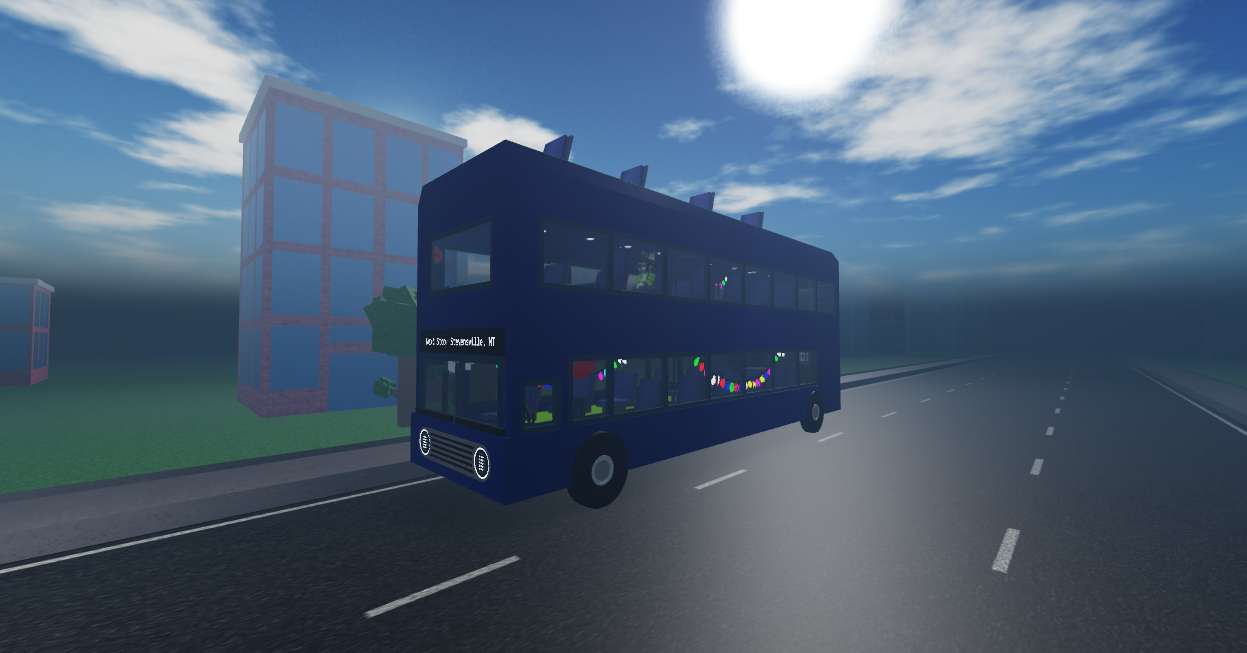
Most commands use the ! prefix, excluding the default emote command, which requires /e instead. This page will list all of the commands you can do both in public and private servers.
| Command | Description | Special Effects | GIFs / Images |
|---|---|---|---|
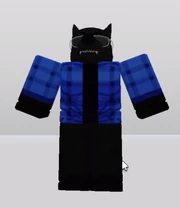
| /e apose | A standstull emote of your character posing with arms similar to the slanted lines of the letter A. This is often used in development for 3D models for rigging purposes. |
 |
|

| /e boogie | An animated emote of your character doing the Boogie Down emote. This dance originated from Fortnite, where you can obtain it for free by setting up 2FA on your account. |
 |
|
| /e cali | An animated emote of your character doing the California Girls dance. The dance was popularized by Friday the 13th memes involving a specific character doing the same dance. |
Plays a bit-remixed part of California Girls |  |
| /e cheer | A quick emote of your character waving their arms in glee. |  |
|
| /e cryingandshaking | An emote involving your character in a closed sit, shaking back and forth. A similar emote plays when Steven_Scripts is found in the Backwalls. |
 |
|
| /e dab | A simple emote of your character dabbing, once popularized back at 2015. |  |
|
| /e dance /e dance2 /e dance3 |
All roblox emotes that you can use in every other Roblox game, nothing to detail much. | ||
| /e dance4 | A custom dance variant that causes your character to spin in an immense speed for a few seconds then stopping. |  |
|
| /e default | An emote that plays the "Poison" dance from the Scrubs but was later popularized by Fortnite using this as their default dance. |  |
|
| /e duck | An emote that causes your avatar to duck, this doesn't stop until you move or jump. | 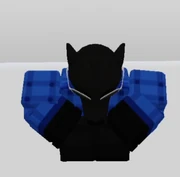 |
|
| /e facepalm | An emote that is basically just your character facepalming. | Plays a single sound. |  |
| /e flip | An emote that causes your character to do a backflip. This only happens once and doesn't loop. |  |
|

| /e griddy | A dance that involves the character tapping their heels while alternating and swinging their arms back and forth. Once started back at 2019 and was popularized following 2020. |
This emote can be used when walking, and only stops when jumping. Plays an audio based off the Griddy meme. |
 |

| /e hired | An animated emote of your character dancing very rapidly. This is a reference to a video made by Mediumkey! Link is provided. |
Plays a looped audio related to the video linked. |
 |

| /e honda | A looped dance based off of Mio Honda's Fried Chicken video that had the song "Step!" from the Idolm@ster while Honda is dancing. Often popularized for people making edits that stray away from the original context. |
This emote can be used even when walking, and only stops when jumping. Plays a looped instrumental of Step! from The Idolm@ster. |
 |
| /e kazotsky | A simple emote of your character closing their arms while swinging their legs back and forth, alternating. | This emote can be used even when walking, and only stops when jumping. |  |
| /e laugh | An emote that causes your character to laugh. |  |
|
| /e loogi | An emote that is based off of Luigi from Mario & Luigi Superstar Saga, specifically whenever Luigi levels up. |  |
|
| /e orangejustice /e royale |
A emote that makes your player do the Orange Justice from Fortnite. |  |
|
| /e pdance | An emote involving your character swaying their hips side-to-side in a low-frame motion, in reference to POKÉDANCE in celebration for Pokémon in a special animated music video. | Plays the audio associated with the dance. |  |
| /e penguin | An emote that is a replica of Club Penguin's classic dance. |  |
|
| /e piku | An emote that is based off of the Pikuniku dance. | Plays the audio associated with Pikuniku dance too. |  |
| /e plumber | An emote that replicates a Mario dance that was sticthed together using various assets and was animated like a puppet. |  |
|
| /e point | A simple emote of your character pointing at something. This is very similar to Point2, an emote you can use at any Roblox game that allows R15. |  |
|
| /e righteous | A complex emote of your character dancing vigorously. | Plays the Righteous music, often used for Pepe Lore. |  |
| /e relax | A near standstill emote of your character laying down, arms behind their head, as your torso also slightly moves up and down, simulating breathing. | 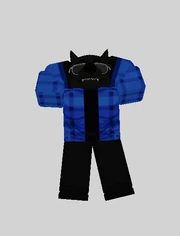 |
|
| /e ronald | An emote based off of Ronald Mcdonald Insanity, which is also based off of U.N. Owen was Her, or Flandre Scarlet's theme in Touhou. | Plays the first segment of the remixed Touhou track, and repeats. |  |
| /e sakura | An emote of your character first kicking their legs whilst having their arms closed at first similar to kazotsky, only to then start breakdancing later on. Its origin debut as a viral TikTok video revolving the game Sakura School Simulator, where the character nonchalantly stares at a cat breakdancing. It was later popularized at 2022. |
Plays a (possibly remixed) looped of a familiar music played in the original. |  |
| /e sitdown | An emote where your character sits down. | 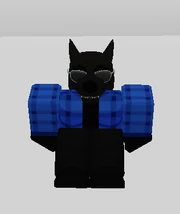 |
|
| /e shimmy | A simple emote of your character moving their shoulders and legs. This is a reference to Lethal Company, where this dance is used. |
 |
|
| /e smug | An emote based off of A Hat In Time, where Hat Kid dances while Peace and Tranquility is playing in the background. | This emote produces afterimages of each frame following the last. This can only be viewed on your own emote and can be very intensive. Worsens as the more layered clothing you stack on too. Plays an audio based off of one of the tracks in A Hat in Time. |
 |
| /e tpose | A standstill emote of your character T-posing, with the arms perfectly horizontal. Often used for both rigging as well as character designing. |
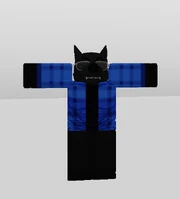 |
|
| /e wave | An emote that makes your character wave. It is similar to the Hello emote, however is less intensified. |  |
| Seat Animation | Creators / Authors | In-Game Description | Animation Description | GIFS / Images |
|---|---|---|---|---|
| Alpha | bart (barrt_theboy) | "I'm not like the rest of you guys..." | A seat animation where your character tucks themselves onto the seat, presumably acting in dominance. Or at least, in attempt to. |  |
| Animal | NobleReign | Are you a cat? A dog?? A bear??? | A seat animation where your character sits on your limbs, slowly going up and down. |  |
| Antigravity | logickeeper | "who needs gravity? because I don't." | A seat animation where your character flies up and down, not caring about gravity. This may induce no-clipping in some areas. |  |
| Anxious | NotFunnyClown (orfriday36) | "This is stressing me out, every 5 minutes an event happens." | A seat animation where your character is worrying about something, occasionally having their hand on the side of their face. |  |
| Anxious (V2) | NotFunnyClown (orfriday36) | "This is stressing me out, every 5 minutes an event happens." | A revamped seat animation of Anxious. Instead of the occassional hand on face action every few seconds, it's a simple yet worried nod. |  |
| Banger | KeyboardCombination | It's normal to get a bit fidgety on a trip this long, right? | A seat animation where your character goes back and forth. |  |
| Bored | NobleReign (suggested by Zeon) | "Are we there yet...? Urgh.. how about now...?" | A seat animation where your character slouches and occasionally yawns. |  |
| Chill | CuhUnit | "Works best with 1.0 Avatars." | A simple seat animation where your character's legs are rested, with the head going side to side slowly. |  |
| Contemplation | NikoGamering | I should've just waited for the next bus.. | A seat animation where your character is huddled up onto the seat. Works best against right walls. |  |
| Creature | Zeon (z_30n) | "This doesn't look right... and it feels like it's from 2017." | A static seat animation where your character's legs no-clip into their torso. That probably isn't a good sign. | 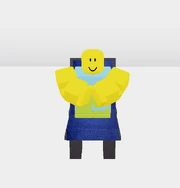 |
| Dead | AJP | "After waiting on this bus for years and years, it's not very surprising that you'd end up like this..." | A seat animation where your character dies similar to Peter Griffin's death pose from Family Guy, with the hand swaying. This doesn't actually kill you. |  |
| Default | NobleReign | Looking around, sitting with your hands politely on your lap. The ideal passenger. | A seat animation where your character sits with hands on their lap, looking side to side. This is also what you have by default when you play the game for the first time. |  |
| Extrovert | Zeon (z_30n) | "Hi! How are you doing? Long ride, huh?" | A static seat animation where your character looks at the seat behind it, | 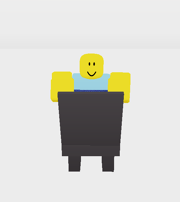 |
| Fidgety | anton12100 | The anticipation is killing me. | A seat animation where your character has its arms folded, and legs swinging side-by-side. |  |
| Formal | CuhUnit | "About as normal as it gets." | A seat animation where your character humbly rests on the seat, being formal as it can be. |  |
| Friday Girl | Pixel_Neko (Pixel_N3ko) | For the best experience, sit between two people with the GBA. | A seat animation where your character has their leg on top of the other and their head bopping. This is a reference to Friday Night Funkin' Girlfriend. |  |
| Headache | eatencheeseisnice | "This bus is giving me a headache..." | A seat animation where your character slightly bends down, both hands on their head. |  |
| Headless | Z0LD1 | "Check it out! I can detach my head!" | A seat animation where your character holds their head with their arms, sitting idly. |  |
| Insane | TauDoublePi | "I CAN'T TAKE IT ANYMORE!" | A seat animation where your character finally loses it, with arms swinging wildly alongside the head and torso. |  |
| Joyful | kenziestarlight | "I can't wait for my stop!" | A seat animation where your character eagerly waits on their seat, kicking their legs in an alternate pattern with body swaying side to side in anticipation. |  |
| Introvert | NobleReign | "I'd.. rather keep to myself." | A seat animation where your character huddles onto the seat, occasionally looking at the side. |  |
| Lazy | CuhUnit | You decided not to sit on the chair that is right behind you, but on the floor. | A seat animation where your character sits on the floor instead of the seat. This still occupies the seat even if it looks free. |  |
| Mad | Janernp | "She didn't order Bloxdonalds..." | A seat animation where your character sits, frustrated. |  |
| Meditation | anton12100 | Ohmmmm... | A seat animation where your character flies while meditating. May cause no-clipping in some areas. |  |
| Not Thinking | CuhUnit | "Bro what are you doing!! You are not the thinker!!!" | A static seat animation where your character sits fashionably. | 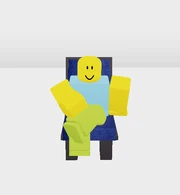 |
| Oldschool | olivertraynor8 | This is just like 2023! | A static seat animation that reuses the normal seat animation in many games on Roblox. | 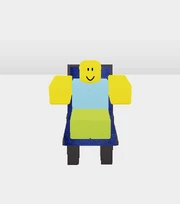 |
| Overthinking | CuhUnit | There are better things to do than overthinking. | A seat animation where your character thinks a bit too hard. | 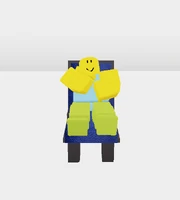 |
| Pondering | Creataurus1 | "I seem to be... indecisive about something." | A seat animation where your character ponders, going back and forth; hand on the chin. |  |
| Relax | Pixel_Neko (Pixel_N3ko) | If these seats could fit two people, you'd be considered inconsiderate. | A seat animation where your character relaxes onto the seat. Works best in between two other seats. |  |
| Rulebreaker | NobleReign | This looks better on shorter avatars. | A seat animation where your character sit on top of the seat, rocking their legs back and forth. May cause no-clipping in some areas. |  |
| Scared | CuhUnit | Who did this to you? | A seat animation where your character goes into a closed sit, arms vibrating. |  |
| Shift | NobleReign | Wrong game. | A static seat animation where your character 'shifts'. This is a reference to Minecraft's crouch mechanic. | 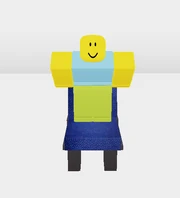 |
| Shivering | FangedWerewolf (Noobbiom) | "Hah... I-I should've... b-brought a blanket..." | A seat animation where your character vibrates intensely, arms and legs tucked in. |  |
| Sideways | CuhUnit | "How do people sit like this without any problem?" | A static seat animation where your character sits upside-down, but has their head on the seat instead of on the floor. | 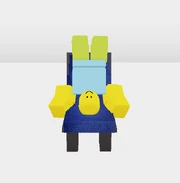 |
| Sleeping | Creataurus1 | Zzzzzzz... | A seat animation where your character sleeps on to their right hand. Works best against right walls. |  |
| Slouch | NobleReign | I just wanna go hooooomeee... | A seat animation where your character slouches, looking side to side slowly. |  |
| Smug | x_unh0ly | It's a little sickening. | A seat animation where your character smugly sits, works best against left walls. |  |
| Sportsman | IKTOTOCYKA | "free blood in brain, yum!" | A "seat" animation where your character does a handstand. Impressive, yet impractical. |  |
| Stand | NotFunnyClown (orfriday36) | "Forget sitting down. It's time to stand up and do nothing!" | A seat animation where your character simply stands on the seat. It still counts as occupying the seat though. |  |
| Stop-Motion | olivertraynor8 | It... looks stylish?? | A seat animation where your character goes up and down in a stop-motion like style. |  |
| Stressed | NotFunnyClown (orfriday36) | "Sometimes rides can be stressful." | A seat animation where your character's head bops alongside their hands. |  |
| Syber | NobleReign | >:3 | A seat animation where your character relaxes with arms on their back, looking side to side swiftly. |  |
| Thinking | engi_tf2 | I'm.. just.. really deep in thought... | A seat animation where your character thinks about something, before something else grabs its attention temporarily. |  |
| Tired | Guum3n | "When you need sleep..." | A seat animation where your character... sleeps in a "comfortable" position. Yeah, let's just call it like that. | 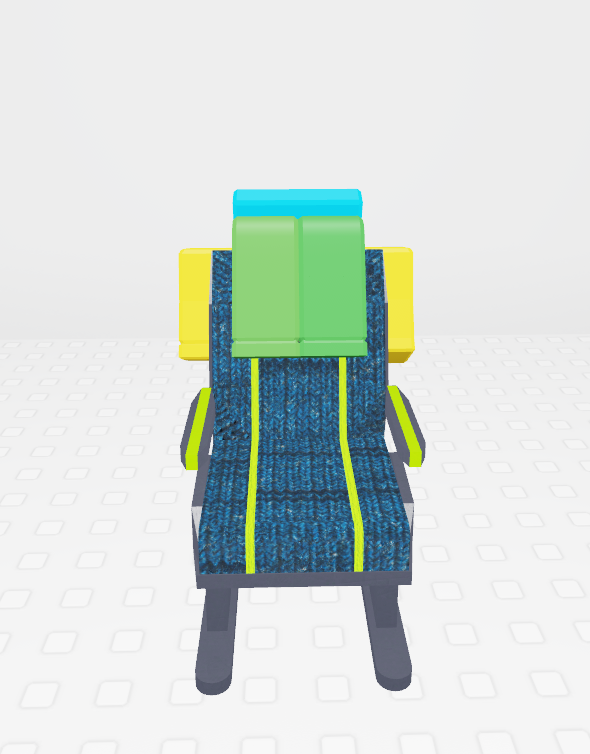 |
| Uncomfortable | Usef (Usefzooooo) | "Seriously. WHO would SIT like this?!" | A seat animation in which your character sits sideways, with their head flowing and pretty much being uncomfortable. | 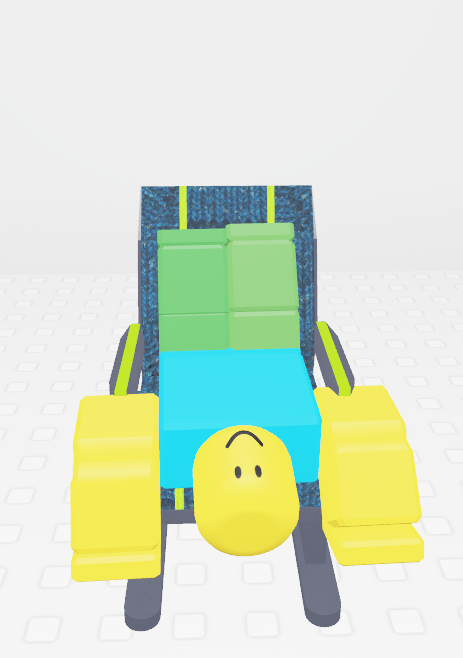 |
| Upside-down | NobleReign | For when you really want the blood to rush to your brain. | A static seat animation where your head is on the floor, with your body on the seat. | 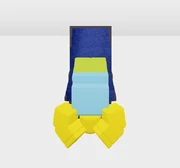 |
| Voxel | NobleReign | Modded Block Game | A static seat animation where you sit with your hands and legs on top of the seat. This is a reference to other voxel-like games. | 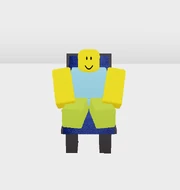 |
| Wall Rest | F1reRabb1t | "Glass panes just feel better than seat cushions." | A seat animation where you sit with your body leaned towards the left side of the seat. If done on the left row, you lean on glass panes, otherwise, you lean on air. |  |
!color - Changes your Mini-Bus and D.I.Y. Mini-Bus' color, largely changing the main parts of the bus.
- For those with the OG Driver rank, the Mini-Bus will also glow alongside the color chosen.
- And those who have the Contributor rank will also have their Mini=Bus sparkle.
!mcolor - Changes your Megaphone EX's color, changing the inner rings of the megaphone. This doesn't change your shout message however.
!lcolor & !rcolor - Changes your airpod color according to each side, requires having the Colored Airpods gamepass.
!togglepd, !setrole & !setheart are the three commands that currently alter chat tags, and !region is the only command that can customize your nameplate.
!setrole - Allows you to set any of your role tags. Goes from highest ranking to lowest and allows highest available to be selected. Does not let you select tags that you haven't unlocked but have surpassed.
!setheart - Allows you to choose a heart to display next to your name, comes in many varieties, ending at the Numbers Heart, at 50,000 Driver Reputation.
!togglepd - Allows you to toggle donation tags ingame.
!region [emoji] - Allows you to customize your regional tag outside of Hidden. Requires you to have the Custom Regional Emoji gamepass and have Regional Indicators in Social Settings to Hidden.
!note [message] - Allows you to change the upper note while on the driver seat, provided you have the Bus Driver gamepass.
!quote [message] - Allows you to change the quote displayed on the Simon Says game.
| Commands | Effects |
|---|---|
| !cmds | Allows you to view a list of commands you can do as a Private Server Owner. |
| !rename [1-5] | Allows you to rename any save slot currently being used, |
| !emotion [emotion] | Allows you to set an emotion for the Bus, being: - Happy - Sad - Glitching - Surprised - Neutral Gets overriden if an event causes the Bus to have an emotion. |
| !btools [player] | Gives the player(s) [[Edit]]. Using btools without any player username will give btools to yourself. |
| !rngevents | Enables / Disables random events happening every 5 minutes. (Default: True) |
| !rngweather | Enables / Disables random weather happening on occasion. (Default: True) |
| !weather [weather] | Forces a list of weathers, being: - Sunny - Cloudy - Rainy - Stormy Weathers can also be affected based on biome. |
| !seats | Enables / Disables seats on the Bus. (Default: True) |
| !speed [number] | Forces the Bus to move on a specific speed. Can also accept decimals and negatives. Gets overridden however if a secret button is pressed or an event overrides it. (Default: 1) |
| !datainfo | Gathers all the data from saved builds and compiles them to a list. |
| !event [event] | Allows you to force a specific event, check out the Event's italic name to use in !event. The event names are also case-sensitive. |
| !tunnels | Enables / Disables tunnels, when disabled it'll also lock the biome permanently until re-enabled or used with !biome. (Default: True) |
| !slock | Locks the server down, kicking anyone who tries to join. (Default: False) |
| !time [set/change/lock] | Allows you to edit time, setting it to a specific point, changing it, or locking it entirely. |
| !shouts | Enables / Disables shouts from other public / private servers. (Default: True) |
| !migrate | Migrates any old saves onto a different format. Mainly used to prevent DataStores from being full and often causing players to not get any permanent items. |
| !map | Enables / Disables the entire map. Doesn't affect collisions of the road however. (Default: True) |
| !biome [biome] | Allows you to instantly swap to any biome in the game. |
| !clear (1-5) | Permanently deletes any of the listed saves. |
| !load (1-5) | Loads the build from your save slots. |
| !load-nobg (1-5) | Loads the build but ignores the parts that directly affect the base game. Useful for saving progress after accidentally breaking an essential part of the game. |
| !save (1-5) | Saves the current build to any of the 5 slots. |
| !prune-marker | Cleans any drawings somebody made with the Marker if they aren't in the server. |
| !wash-marker | Cleans any and every drawing made with the Marker from the server. |
The only command available is cmdbar/, the other admin commands will not be listed as to make sure that it is only limited to the game's admins, but a couple of these will be included, mainly since they are more known.
| Commands | Effects |
|---|---|
| give/[player]/[item] | Gives the player the listed item. Item name is not case sensitive, and typing "all" as the item gives the player every item in the game. The items can also be given with an unfinished input, assuming though that the letters that are inputted match the same as the item. Examples: Do note that items obtained from this method aren't permanent. You will still need to do their intended methods in obtaining for them to be permanent. |
| refresh/[player] | Respawns the player and puts them exactly where they were. Not including a playername will respawn the user instead. |