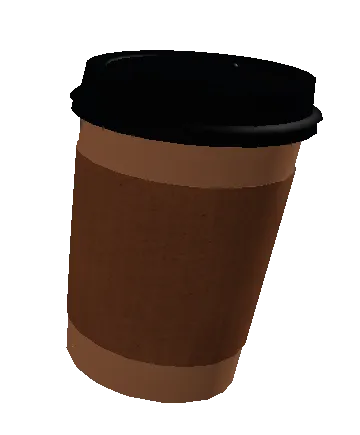
When making one, the player will go into a focus-mode state, being able to pick any ingredients and measure them out carefully. Recipes are also provided on the left, with all of the specific ingredients needed to make a drink.
While you do not need to be extremely accurate, as long as you have the appropriate ingredients; it'll blend into the drink that you want.
You can also carry the drinks into the Backwalls, and the amount of usage depends entirely on how useful it can be within the Backwalls.
| Controls | Keys | Description |
|---|---|---|
| Category Select | W / S | Allows you to shift between the previous and next category of ingredients. |
| Ingredient Select | A / D [Or scroll up/down with mouse hovered over the ingredients] | Allows you to select between the previous and next ingredient within the same category. |
| Dispense | Space | Dispenses the ingredient. Holding it down will repeat this action until it is released. You can also do short bursts for more precise dispensing. |
| Try Again / Cancel | L | Allows you to clear all of the ingredients within a cup, perferrably if you wanted to restart or to reset over a softlock. Pressing it again while the cup is empty will manually end Focus Mode. |
| Finish | Enter | Finishes the drink you have made, assuming it's valid for a recipe. Automatically ends Focus Mode after blending. |
| Recipes Toggle | R | Toggles the recipe sidebar. |
| Controls | Actions | Description |
|---|---|---|
| Category Select | Up-Swipe / Down-Swipe | Allows you to shift between the previous and next category of ingredients. |
| Ingredient Select | Left-Swipe / Right-Swipe | Allows you to select between the previous and next ingredient within the same category. |
| Dispense | Button | Dispenses the ingredient. Holding it down will repeat this action until it is released. You can also do short bursts for more precise dispensing. |
| Try Again | Button | Allows you to clear all of the ingredients within a cup, perferrably if you wanted to restart or to reset over a softlock. |
| Cancel | Button | Allows you to manually end Focus Mode. |
| Finish | Button | Finishes the drink you have made, assuming it's valid for a recipe. Automatically ends Focus Mode after blending. |
| Recipes Toggle | Button | Toggles the recipe sidebar. |
| Controls | Buttons | Description |
|---|---|---|
| Category Select | D-Pad Up / D-Pad Down | Allows you to shift between the previous and next category of ingredients. |
| Ingredient Select | D-Pad Left / D-Pad Right | Allows you to select between the previous and next ingredient within the same category. |
| Dispense | Square / X | Dispenses the ingredient. Holding it down will repeat this action until it is released. You can also do short bursts for more precise dispensing. |
| Try Again / Cancel | Circle / B | Allows you to clear all of the ingredients within a cup, perferrably if you wanted to restart or to reset over a softlock. Pressing it again while the cup is empty will manually end Focus Mode. |
| Finish | Triangle / Y | Finishes the drink you have made, assuming it's valid for a recipe. Automatically ends Focus Mode after blending. |
| Recipes Toggle | L3 / LA | Toggles the recipe sidebar. |
Ingredients are the main component in making coffee, with all of them boosting a stat or decreasing them. You can add as many as 32 of a solid ingredient, and 190 ml of a liquid / dry ingredient. Depending on the ingredients that you use will also depend on the stats that the coffee will recieve after making it. The stats are of the following:
| Stats | Description | Positive Stat Effects (+) | Negative Stat Effects (-) |
|---|---|---|---|
| Temperature | Determines how hot or cold the drink is. | Freezes you in place instantly. Holding a drink at very high Temperaturess will have mist effects around the drink. |
Sets you ablaze. Holding a drink at very low Temperatures will have the drink unleash a barrage of smoke and fire from within. Also emanates a fizzing sound. |
| Quenchiness | Determines how fast you regenerate upon consumption. | Regenerates health quickly. Holding a drink at very high Quenchiness will have stars around it. |
Drains health quickly. Holding a drink at very low Quenchiness will have purple effects falling off of it. |
| Sweetness | Determines the cooldown between each sip. | Very fast cooldown. | Very slow cooldown. |
| Energy | Determines the speed boost you recieve within each sip. Overconsuming this will also kill you. | Increases speed drastically. | Reduces speed significantly. |
| Name | Class | Description | Effects | Image |
|---|---|---|---|---|
| Cookies | Solid | It's actually from a cereal, but it's close enough. | - Quenchiness + Sweetness |
 |
| Honey | Liquid | Jazzy. | + Sweetness + Quenchiness |
 |
| Marshmallows | Solid | They made sugar soft, no way! | + Sweetness |  |
| Sugar | Dry | The sweetest of crystals | ++ Sweetness | 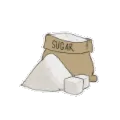 |
| Name | Class | Description | Effects | Image |
|---|---|---|---|---|
| Caramel Syrup | Liquid | Melted sugar. | + Sweetness | 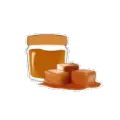 |
| Chocolate Syrup | Liquid | Sweet, sweet chocolate. | + Sweetness | 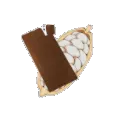 |
| Mint Syrup | Liquid | A refreshing minty flavor. | + Sweetness | 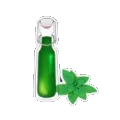 |
| Vanilla Syrup | Liquid | A sweet vanilla flavor. | + Sweetness | 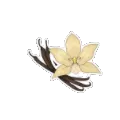 |
| Name | Class | Description | Effects | Image |
|---|---|---|---|---|
| Cold Water | Liquid | The polar opposite of coffee. | ++ Quenchiness + Temperature |
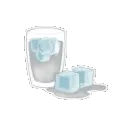 |
| Dry Ice | Solid | You removed the wet from the water? | - Quenchiness ++ Temperature |
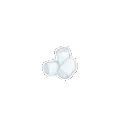 |
| Glowstick Fluid | Liquid | UV-enriched protogen water. Not for human consumption. - Only unlockable after recieving Tazer's riddle. |
--- Quenchiness | 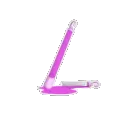 |
| Hot Water | Liquid | Water but it hurts. | + Quenchiness - Temperature |
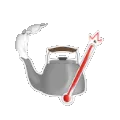 |
| Ice | Solid | Like water, but with a crunch. | + Quenchiness + Temperature |
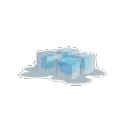 |
| Name | Class | Description | Effects | Image |
|---|---|---|---|---|
| Apples | Solid | The classic crunchy tree fruit. | + Sweetness | 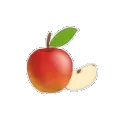 |
| Dragonfruit | Solid | A dragon made this fruit? | + Sweetness | 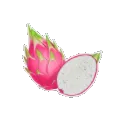 |
| Mangoes | Solid | Free rocks inside! | + Sweetness | 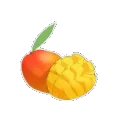 |
| Oranges | Solid | Citrus, in usual form. | + Sweetness | 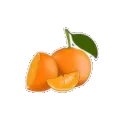 |
| Strawberries | Solid | These aren't even really berries. | + Sweetness | 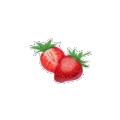 |
| Name | Class | Description | Effects | Image |
|---|---|---|---|---|
| Cinnamon | Dry | Not for use in a challenge. | -- Quenchiness | 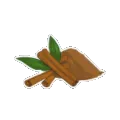 |
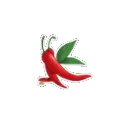
| Peppers | Solid | A literal chili pepper. What. | - Quenchiness ++ Temperature |
 |
| Pumpkin Spice | Dry | Default Description | - Quenchiness | 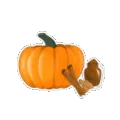 |
| Salt | Dry | Freshly sourced from the Rifts. | --- Quenchiness | 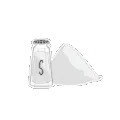 |
| Name | Class | Description | Effects | Image |
|---|---|---|---|---|
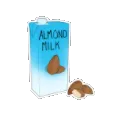
| Almond Milk | Liquid | How'd they milk an almond? | + Quenchiness + Sweetness |
 |
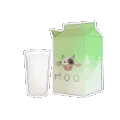
| Milk | Liquid | Cow liquid | + Quenchiness + Sweetness |
 |
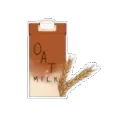
| Oat Milk | Liquid | Oatmeal as a liquid? | + Quenchiness + Sweetness |
 |
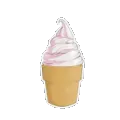
| Soft Serve | Liquid | Close enough to be ice cream, close enough to a liquid. | + Quenchiness + Sweetness + Temperature |
 |
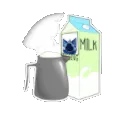
| Steamed Milk | Liquid | Smooth and creamy. | + Quenchiness + Sweetness - Temperature |
 |
| Name | Class | Description | Effects | Image |
|---|---|---|---|---|
| Cultivator's Communion | Liquid | More milk than coffee, honestly. | + Energy + Sweetness |
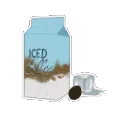 |
| House Blend | Liquid | Gives off a hint of cocoa. | + Energy | 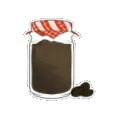 |
| Plain Coffee | Liquid | Basic energizing liquid. | ++ Energy | 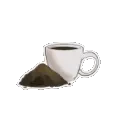 |
- If you drink too much caffeine, you'll end up receiving a heart attack and die on the spot, text will also appear with the caption "drink caffeine responsibly".
- This does not apply if you drink too much sugar.
- Having too much Dry ingredients within your drink can be almost fatal, as it'll always deal 99 damage and leave an audible gasp instead of the usual effects.
- Originally it was going to be a way to instantly die, but it's reserved for a future ingredient.
- Having too much Glowstick Fluid within a cup will make it glow out of the cup hole.
- Both the Empty Cup and its drinks will cause the player's gravity to be reset back to normal under the effects of the Cramped Cola, sinking the player quickly.